
Accessibility
Reading comfort: accessibility settings that follow the way you read
Fonts, size, contrast, spacing, reading aids, colour correction. Mindlet shows a standard display; everyone turns on what they need, in the app's accessibility settings.
- Six presets
- A reading comfort test
- App in French, nothing imposed

Where to start
Not sure what helps? The comfort test
You don't need to know any setting's name. The comfort test shows you versions of the same text and asks which reads better: twelve comparisons, sometimes a few more.
Fonts get neutral names, "Police A", "Police B" (font A, font B): you choose with your eyes, not on a font's reputation. And the test never asks whether you are dyslexic.
Profiles
Six presets, then your own profiles
A preset turns on several consistent settings at once. The dyslexia preset widens spacing, picks a readable font and splits words into syllables; low vision enlarges the interface and raises contrast; eye strain switches to sepia with generous line spacing.
- Create, duplicate and rename your own profiles
- A live preview shows the effect of each setting before you leave the screen
- A school can suggest a profile: it only applies if you accept it
The details
Everything you can adjust
Setting names are translated here; in the app they appear in French.
| Setting | Values or effect |
|---|---|
| Interface | |
| Interface font | Standard or OpenDyslexic |
| Higher contrast | Normal or high |
| Interface size | 90 to 140% |
| Reduced motion | On or off |
| Softer colours | On or off |
| Reading | |
| Font family | Nunito, Lexend, Atkinson or OpenDyslexic |
| Text size | 12 to 32 px |
| Reading theme | Light, sepia, dark, OLED or high contrast |
| Line spacing | 1 to 3 |
| Letter and word spacing | Up to 10 px between letters, 20 px between words |
| Alignment and maximum text width | Width of 560, 720 or 900 px |
| Custom colours | Background, text and highlight, with a warning if contrast gets too low |
| Reading aids | |
| Syllable splitting | Splits words into syllables (French) |
| Alternating type, syllable underlining | Makes the splitting visible |
| Mark silent letters | Greys out letters that aren't pronounced (French) |
| Tell confusable letters apart | b/d, p/q and other pairs, customisable list |
| Phoneme colouring | 14 French sounds, each in its own colour |
| Focus | |
| Dim inactive paragraphs | The paragraph you read stays sharp, the others fade |
| Highlight the current line, reading ruler | Guides your eye line by line |
| Paragraph-by-paragraph mode, position in page | One paragraph at a time, and where you are |
| Semantic highlighting | Proper nouns, dates and numbers, long words |
| Vision and listening | |
| Colour correction | Seven types of colour blindness |
| Listen to the card | Cards read aloud during review; the assistant can also answer out loud |
Reading aids
Break text down to decode it more easily
Syllable splitting, silent letters, confusable letters, coloured phonemes: these aids change how words look to make them easier to decode. Syllable splitting, silent letters and phonemes work on French text.
Each one can be turned on alone. Beyond three aids at once, Mindlet suggests stopping there: too many aids end up getting in the way.
Studying with dyslexia or ADHDFocus
Keep your eye on the right line
-
Dim the rest
Paragraphs you aren't reading fade; the one you are reading stays sharp.
-
Reading ruler
A band follows the current line, like a ruler held under a line in a book.
-
Paragraph by paragraph
A single block of text on screen, with your position in the page so you know where you are.
-
Highlighting
Proper nouns, dates and numbers, long words: what carries information stands out.
Colour blindness
Colour correction, not simulation
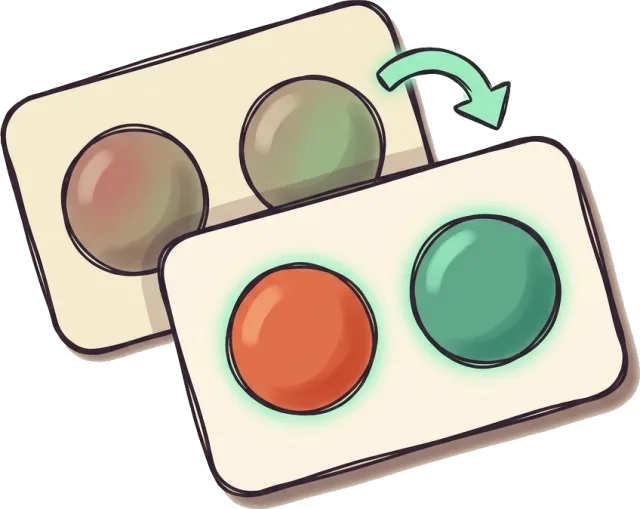
Some tools simulate colour blindness to show others what a person sees. Mindlet does the opposite: it corrects the colours that carry information, so they stay distinct for you.
You pick your profile among seven, grouped as in the app (names shown in French).
Straight talk
What the app doesn't do yet
- No dark mode for the whole interface: only the dark and OLED reading themes darken the text
- No reading documents out loud: you can listen to cards during review and to the assistant's replies
- No conformity audit: our accessibility statement says "Non conforme" (not compliant) with France's RGAA 4.1.2, as no audit has been carried out
- OpenDyslexic is offered, never imposed: its effect on reading speed has not been demonstrated (Wery and Diliberto, 2017; Kuster, 2018)

Where it comes from
Built in from the start, open to everyone
Anthony, Mindlet's co-founder, is dyslexic. Both his brothers have multiple dys conditions. These settings have been part of the app since the beginning.
They aren't tied to a diagnosis. You may want stronger contrast on a tired evening, bigger text on a small screen, or less motion, with nothing to justify.
The team and Mindlet's story
FAQ
Frequently asked questions
Where are Mindlet's accessibility settings?
In Settings, under the "Accessibilité et confort" card. The screen has two tabs: profiles, for the six presets and your own profiles, and fine-tuning, for each individual setting. A live preview shows the effect, and the comfort test guides you if you don't know where to start. The app interface is in French.
Which font is most comfortable to read?
There is no universal answer. Mindlet offers Nunito, Lexend, Atkinson and OpenDyslexic for reading. The comfort test compares them under neutral names so you choose by eye. OpenDyslexic remains an option, but studies have not shown it improves reading speed (Wery and Diliberto, 2017; Kuster, 2018).
Does Mindlet have a dark mode?
Not for the whole interface. The dark and OLED reading themes darken the text you read, and the high-contrast theme improves legibility. For the interface itself, you can turn on higher contrast and softer colours, and set the size from 90 to 140%.
Is Mindlet WCAG or RGAA compliant?
No, not to date. Our accessibility statement declares Mindlet "not compliant" with RGAA 4.1.2, the French accessibility standard based on WCAG, because no audit has been carried out yet. The settings described here exist and work, but they don't replace a conformity audit.
Do reading aids work in every language?
Not all of them. Syllable splitting, silent letters and phoneme colouring are designed for French. Fonts, sizes, spacing, reading themes, the reading ruler, confusable letters and colour correction work on any text.
Can a school impose an accessibility profile?
No. A school can suggest a profile to its members; it appears at the top of the profiles tab and waits for your answer. It only applies if you accept it, and you remain free to change or edit it.
How do I correct colours for colour blindness?
In the fine-tuning tab, choose your type among seven: deuteranomaly, deuteranopia, protanomaly, protanopia, tritanomaly, tritanopia or achromatopsia. Mindlet then corrects the colours that carry information, so they stay distinct for you.
Keep reading
Set up reading your way.
Create a free account, open the accessibility settings, and take the comfort test.
Free to start, no credit card · Web, iPhone, iPad and Android