



mindlet
Try it free

Dyslexia and ADHD

A study app for dyslexia and ADHD, with settings that follow the way you read

Anthony, Mindlet's co-founder, is dyslexic; both his brothers have several dys conditions. The app's reading settings come from there. Everyone turns on what they need, and nothing is imposed.

  • Free to start
  • The same settings on every plan
  • Web, iPhone and Android
6 profiles Comfort test

Where it comes from

Designed by someone who reads differently

Anthony Menghi, Mindlet's managing director and co-founder, is dyslexic. Both his brothers have several dys conditions. The project was born at the Università di Corsica, in Corte, and reading was on the table from the start.

Accessibility there is a carefully built option that each person turns on to suit them, rather than a setting forced on everyone. The same app is then used for studying, with the same cards as everyone else.

The team and the story

Demo

Try it: a lesson that follows your settings

This passage uses the same aids as the app. Open the settings, turn on a profile or an aid, and watch the text change.

The water cycle

The water cycle describes how water travels around the Earth. The Sun heats the oceans: water evaporates, rises and forms clouds.

In the mountains, rain and snow feed the rivers, which carry water back to the Mediterranean Sea or the Atlantic Ocean. About 97% of the planet's water is found in the oceans.

When this movement passes through plants, it is called evapotranspiration. Water never disappears: it changes state, from liquid to vapour and back again.

Syllable splitting, silent letters and phoneme colours only work on French text, as in the app. Try them on this French sentence:

Le cycle de l'eau décrit le voyage de l'eau sur la Terre. Le soleil chauffe les océans : l'eau s'évapore, monte et forme des nuages.

Turn on a profile (Dyslexie, Concentration) or an aid such as the reading ruler in the panel: this block changes straight away. The panel on this site is in French, like the app, and offers part of the app's settings, sometimes with different ranges.

The settings

Font, spacing, contrast: tune your reading

Everything lives in Réglages → Accessibilité (Settings → Accessibility), in two tabs: Profils, to start from a preset, and Affiner, to fine-tune each aid. A live preview shows the effect before you confirm.

AreaWhat you can adjust
Profiles Standard, Dyslexia, Focus, Eye strain, Low vision, Sensory; your own profiles (create, duplicate, rename); profiles suggested by your school, never imposed
Interface Interface font Standard or OpenDyslexic; stronger contrast; interface size from 90 to 140%; reduced motion; softer colours
Reading Nunito, Lexend, Atkinson, OpenDyslexic fonts; size from 12 to 32 px; Light, Sepia, Dark, OLED, High-contrast themes; line spacing from 1 to 3; letter and word spacing; alignment; text width
Reading aids (dyslexia) Syllable splitting, alternating weight, syllable underlining, silent letters, easily confused letters (b/d, p/q, customisable), colour-coding of 14 French sounds
Focus aids Dim inactive paragraphs, highlight the line being read, reading ruler, paragraph-by-paragraph mode, position on the page; highlighting of proper nouns, dates and numbers, long words
Vision Colour correction for seven types of colour blindness

Syllable splitting, silent letters and sound colouring only work on French text. Beyond three active aids, the app suggests easing off: too many aids end up getting in the way.

Which font should you choose?

OpenDyslexic is offered, never imposed. Published studies have not shown that a font designed for dyslexia makes people read faster or more accurately (Wery and Diliberto, 2017, on OpenDyslexic; Kuster et al., 2018, on the Dyslexie font). Some people still feel better with it, and that's reason enough to keep it.

Lexend and Atkinson Hyperlegible are there too, along with letter spacing and line spacing. The most reliable way is to try them on your own courses.

Reading comfort and accessibility

Comfort test

Choose without labelling yourself

Setting every preference one by one means knowing what you're looking for. The comfort test (Test de confort) works differently: twelve side-by-side questions (up to seventeen), where you simply pick what reads best.

Fonts carry neutral names, "Police A", "Police B", so the name doesn't steer the choice. And the test never asks whether you are dyslexic: it only looks for what feels comfortable to you. You can retake it as often as you like.

Listen

Listen instead of read

During a review, the speaker button ("Écouter la carte", listen to the card) reads it aloud, in the voice you choose. The Mindlet assistant can also answer out loud, and you can talk to it instead of typing: helpful when writing takes more effort than speaking.

  • Cards read aloud during reviews
  • Assistant answers read aloud, with a choice of voices
  • Dictation and voice conversation with the assistant, in French only

What Mindlet doesn't do yet: read a whole document aloud.

Meet the assistant

ADHD

Short sessions, one card at a time

A review session shows one card at a time, and its length can be set: short, medium or long. Each day, Mindlet picks the cards you're about to forget, and there's no daily target to hit.

Formats vary: you put things in order, match, sort, estimate. During a review, a hint can help without giving the answer away. Reminders arrive at most once a day, never during quiet hours (9 pm to 8 am by default), and space themselves out when you ignore them.

  • Focus profile: reading ruler, dimmed paragraphs, reduced motion
  • Paragraph-by-paragraph mode, position on the page
  • Drag and drop always has a keyboard alternative
Spaced repetition, explained

Colour blindness

Correct colours, don't simulate them

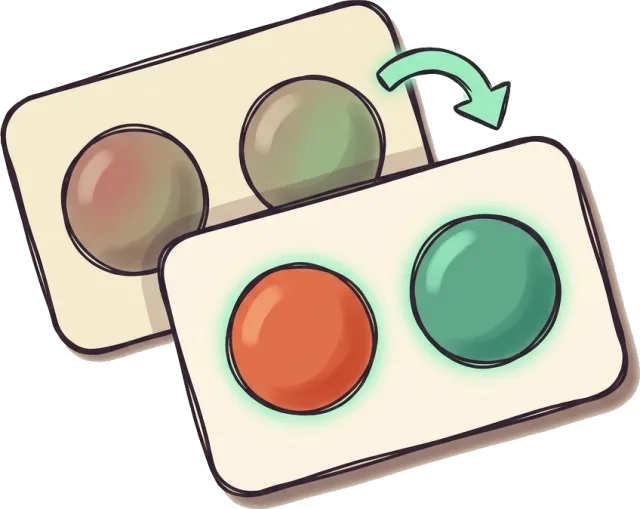
When a colour carries information (a right answer, a category, an area on a map), Mindlet can correct it for seven types of colour blindness: deuteranomaly, deuteranopia, protanomaly, protanopia, tritanomaly, tritanopia and achromatopsia.
Parents

Supporting a dyslexic child's revision

The most useful part happens together, at the start: take the comfort test side by side, choose a profile, then set a short session. After that, the app reminds them to review at the right time, and the child studies on their own.

Mindlet is open from age 13. Below that, the account is created and managed by a parent, from the family setting (Famille et suivi). Features between members (friends, challenges, messages) are closed under 13 and need a parent's consent from 13 to 15.

Mindlet for middle school

What Mindlet is not

A study tool, not a treatment

  • Mindlet makes no diagnosis and doesn't ask for one.
  • It is not a treatment, a medical device or a remediation method.
  • It doesn't replace a speech therapist, a doctor, or the adjustments agreed with a school.
  • We promise no improvement in school results.

And we tell the truth about our own accessibility: the site and the app are declared not compliant with the French accessibility standard (RGAA 4.1.2), as no audit has been carried out yet. What exists and what's missing is detailed in our accessibility statement.

FAQ

Frequently asked questions

How do you study with dyslexia?

Read less and recall more: short cards, one question at a time, and reviews spaced over time rather than rereading the night before. Adjust reading to your comfort too (font, spacing, syllable splitting for French text), and listen to cards when reading is tiring. The comfort test helps you choose.

What is the best study method for ADHD?

Short, frequent sessions, one thing on screen, formats that ask you to act (put in order, match, sort) and a calendar kept by something other than yourself. In Mindlet, session length can be set, reminders come at most once a day, and the Focus profile cuts on-screen distractions.

Which font is easiest for dyslexic readers?

There's no miracle font: studies have not shown faster or more accurate reading with fonts designed for dyslexia (Wery and Diliberto, 2017; Kuster et al., 2018). What often helps is more space between letters, words and lines. Mindlet offers Lexend, Atkinson, OpenDyslexic and Nunito: try them on your own courses.

How can I help a dyslexic child learn their lessons?

Turn the lesson into short questions, have them recall it rather than reread it, and come back to it several days in a row. With Mindlet, drop in the lesson, take the comfort test together, choose a profile, then let the app schedule the reviews. Under 13, the account is created and managed by a parent.

Can an app replace a speech therapist?

No. Mindlet is a study tool with reading settings. It doesn't diagnose, treat or provide remediation. It can make reviewing more comfortable, alongside support from professionals and the adjustments agreed with a school.

Is Mindlet accessibility-compliant?

No. No accessibility audit has been carried out yet, so the site and the app are declared not compliant with the French standard, RGAA 4.1.2. The settings on this page do exist, but no third party has measured them yet. Everything is detailed in our accessibility statement.

Do the accessibility settings cost extra?

No. Every Mindlet plan, including the free plan with no time limit, gives access to the same features, accessibility settings included. Only the AI generation capacity changes from one plan to another.

Set up reading your way, then study.

Drop in a course, take the comfort test, and start with cards that read the way you want.

Free to start, no credit card · Web, iPhone, iPad and Android